
For agencies and records teams
Retire the system.
Keep its reports.
For a records request, an investigation or another department’s question, staff can find older reports, follow related records and export a PDF, even after the old application is retired.
Directly or through your software vendor. Not public safety? See other industries
Three tasks, in the product
Old records.
Present-day questions.
Requests for old reports
A report from years ago, needed today.
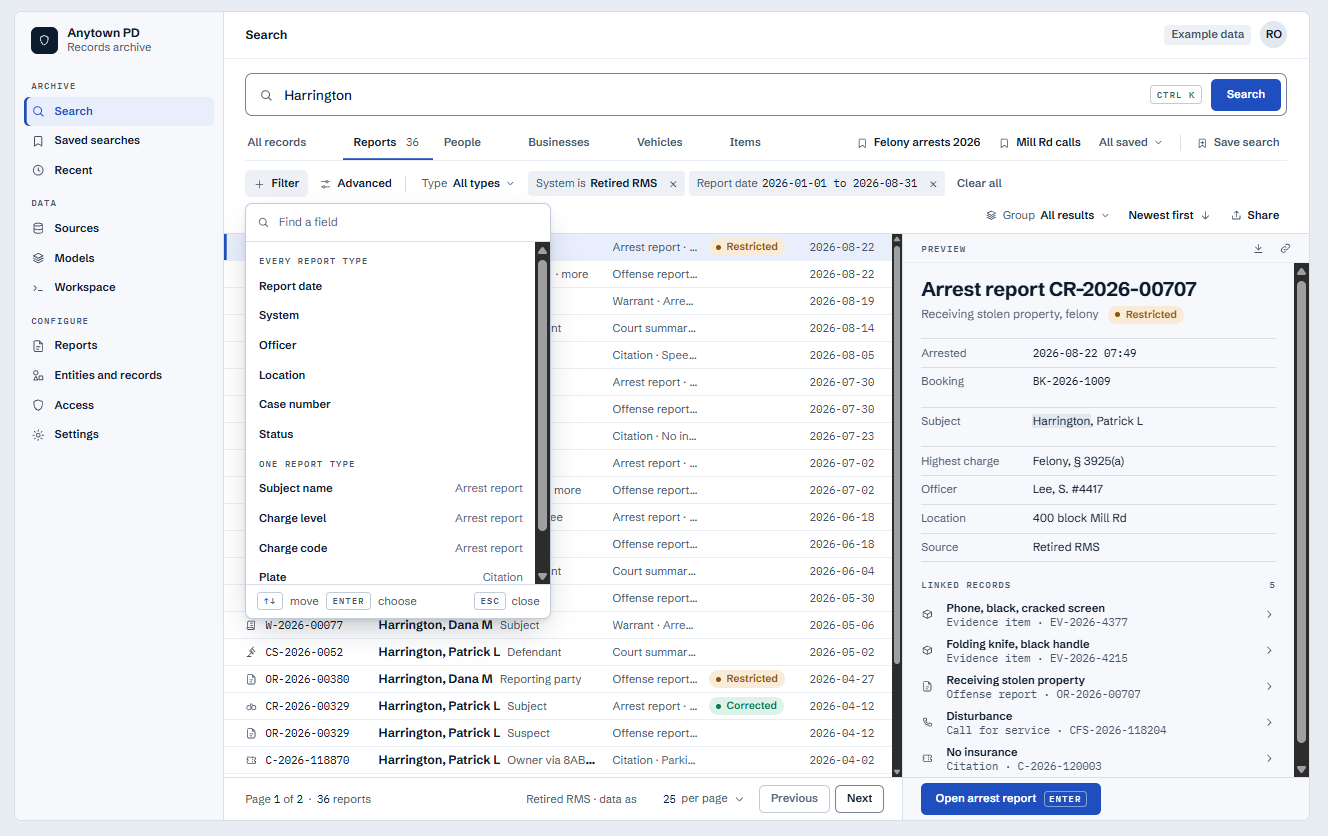
Start with a name, number, year or field. Preview the results, then open the report without going back to the retired application.
- Search across record types
- Reports, people, vehicles and items in the archive.
- Check before opening
- A preview shows the key fields first.
Investigations and evidence
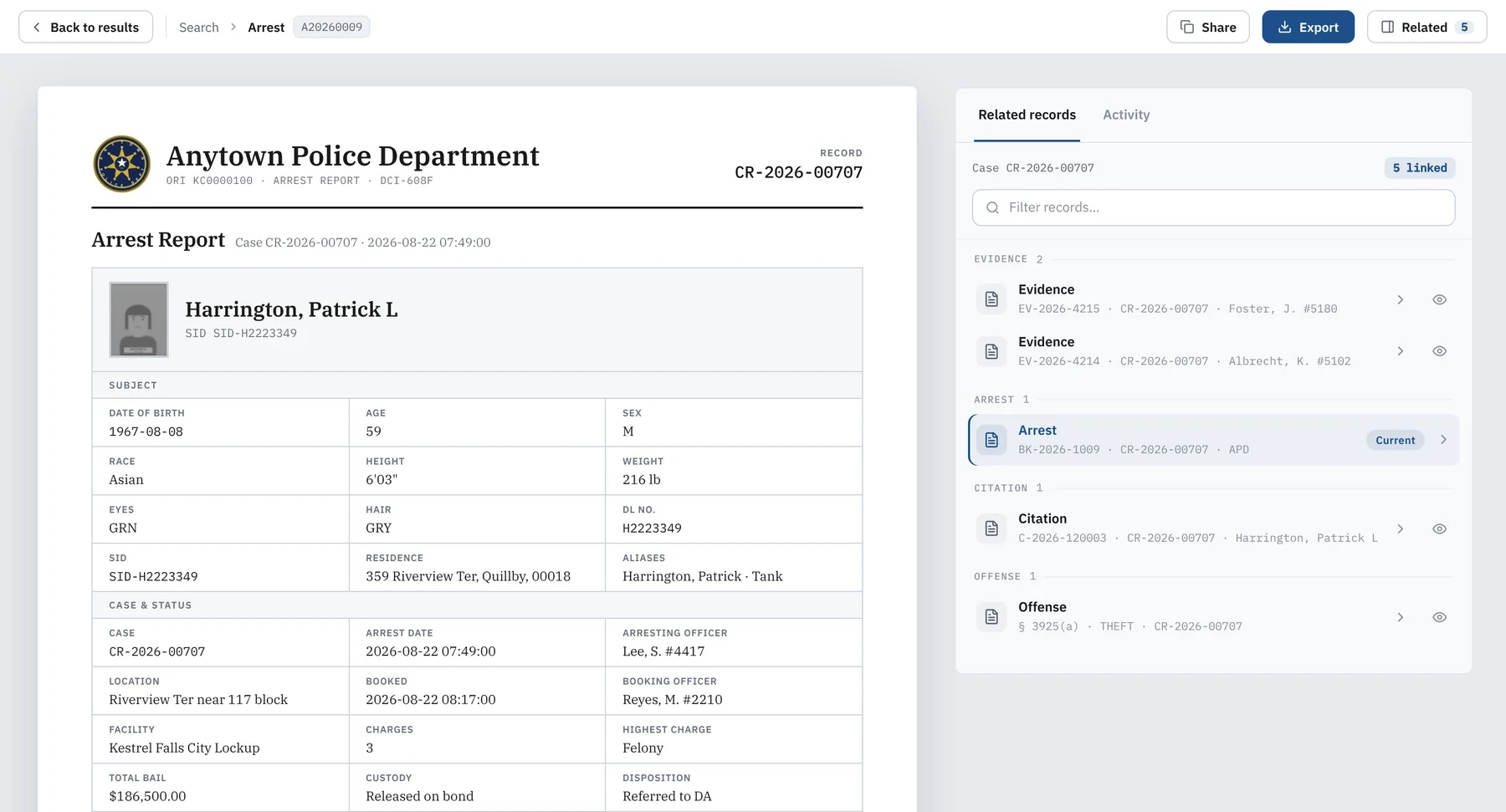
Follow the case across related records.
Open the people, vehicles, items and reports linked to a record, and see how they connect without a new search.
- Read the full report
- Fields, narratives and repeating sections, laid out to read.
- Follow the links
- Related records and files open from the report.
Sharing reports
Export the reports and files you need.
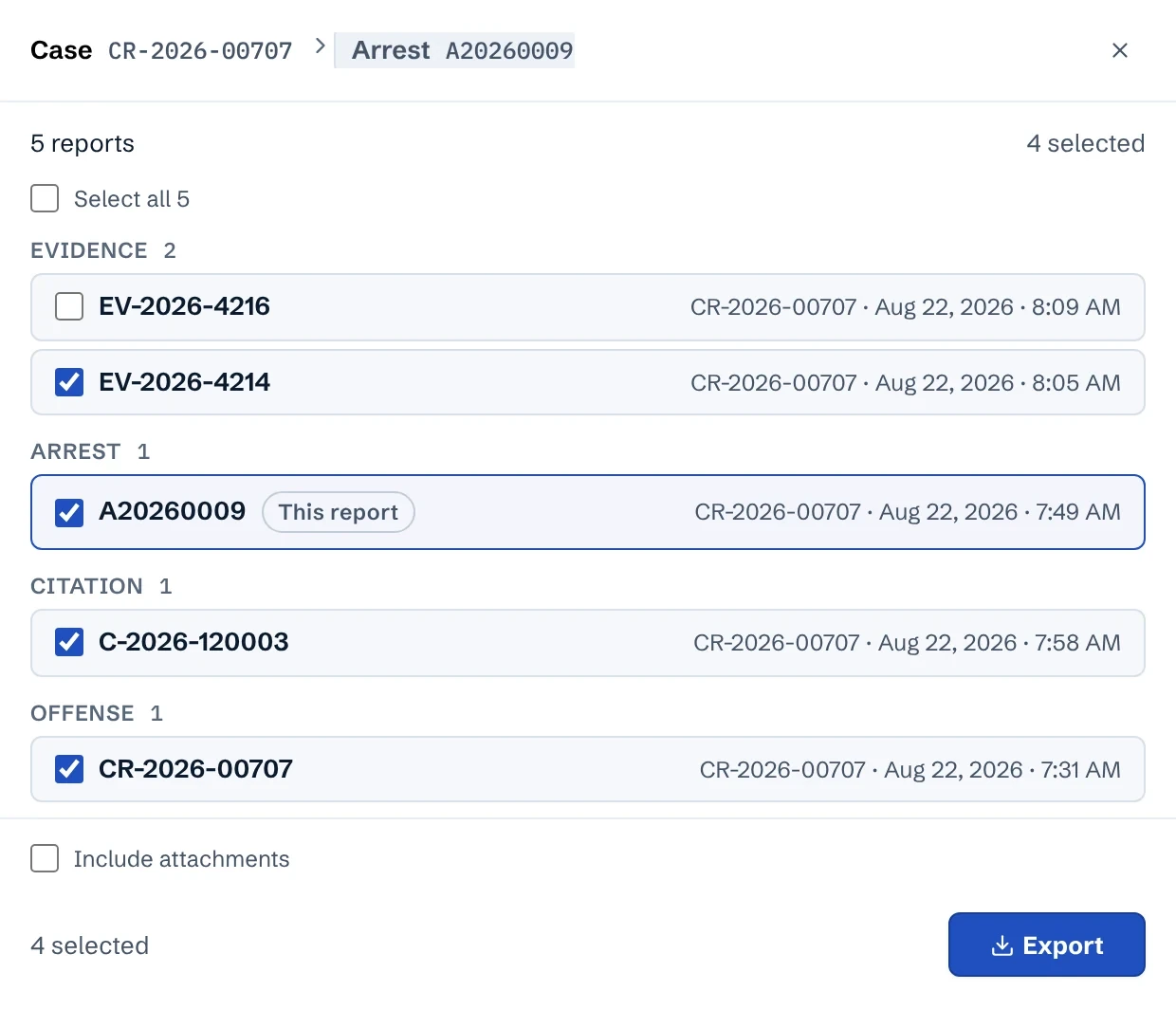
Choose the reports under a case and whether to include attachments. Up to 5 reports export straight away, and larger exports run in the background.
- Choose the reports
- Each report under the case that you can open, with its own checkbox.
- Choose who it's for
- An external or internal copy, stamped on the PDF.
Built from your source
Your old data, laid out as the report staff know.
LiftShift maps each legacy table to the report your team already uses. Values can be traced to the source column they came from.
For IT and leadership
Keep control of access.
Plan for continued use.
Decide what people need from the archive, who runs it and what must be reviewed before the old system retires.
Hosting, security & access- Your environment
- LiftShift Records runs in your environment or with an approved partner such as your software vendor. You agree on who runs access, backups, updates and support.
- Your access decisions
- You decide who sees each record and sensitive field, and who can review activity.
- Subscription
- LiftShift Records includes a 12-month active subscription. Renew it for updates, support, integrations and corrections. If it lapses, read-only access continues.
- 01Scoping
- 02Access
- 03Discovery
- 04Validation
- 05Production
Your staff explain and review the records. LiftShift maps the data and builds the reports.How an engagement works
Before you start
Common questions
Do we still need a migration?
Data that active work depends on may belong in the new application. Data kept for reference can be archived. The two can be separate projects or planned together, with LiftShift providing data migration and data archival.
Which records will the archive include?
The assessment sets the sources, report types, date ranges, attachments and relationships. The walkthrough shows public safety examples. Your scope defines what is built.
Can we work with LiftShift directly?
Yes. If a software vendor is involved, we coordinate with them wherever plans overlap, so both projects stay aligned.
Your next step
What keeps the old system running?
Tell us which system is changing and why your team still needs it. You don’t need a records inventory to start.