
Fields, tables and narratives.
Combine labeled values, repeating rows and longer accounts in a layout that fits the record.
Reports, designer & PDF
Readable reports, related records and the files that explain what happened, ready to share as a PDF.
01 / Read the record
Staff read the report in the layout they know, follow its related records, and export it as a PDF that matches what they saw.
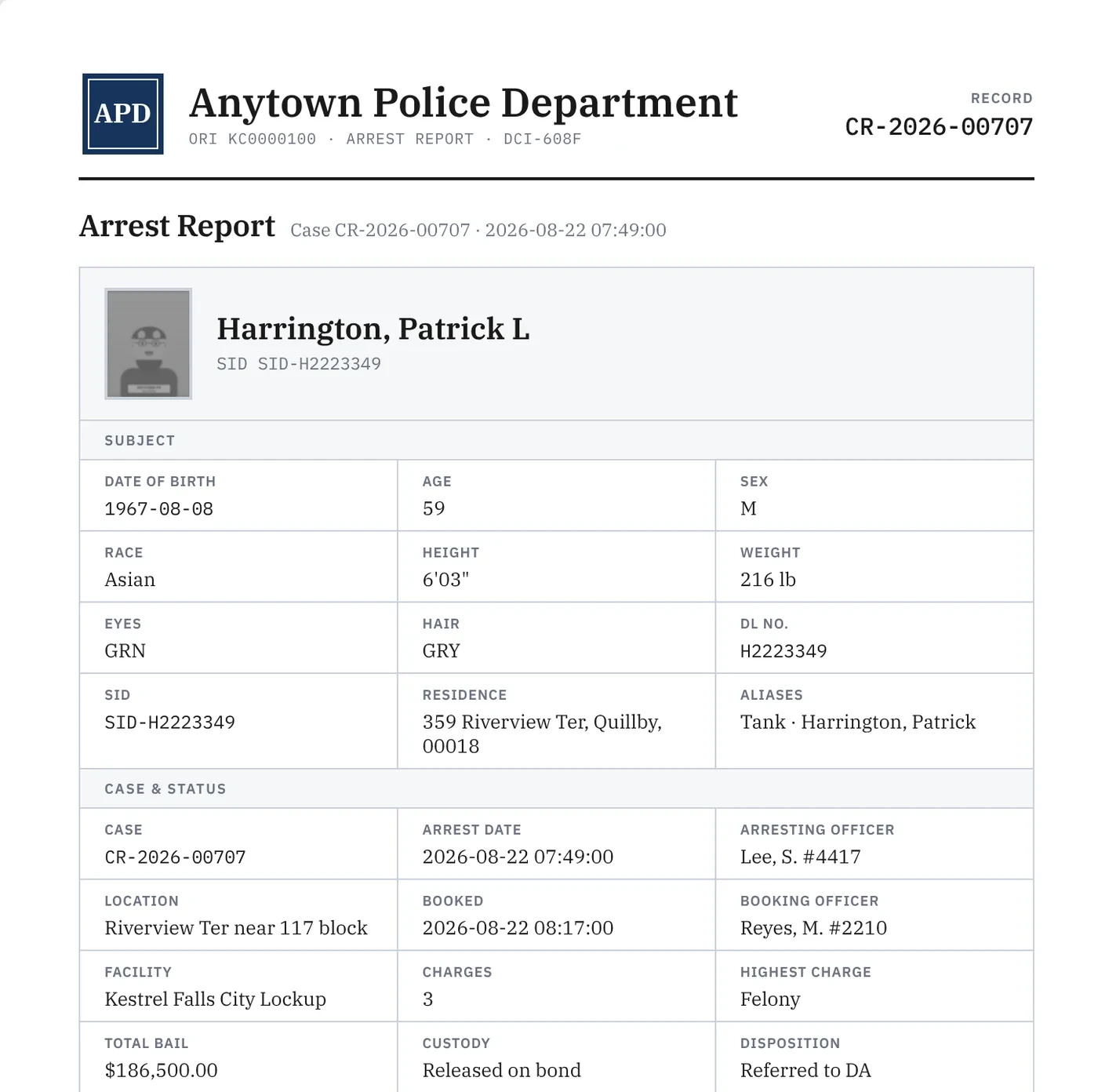
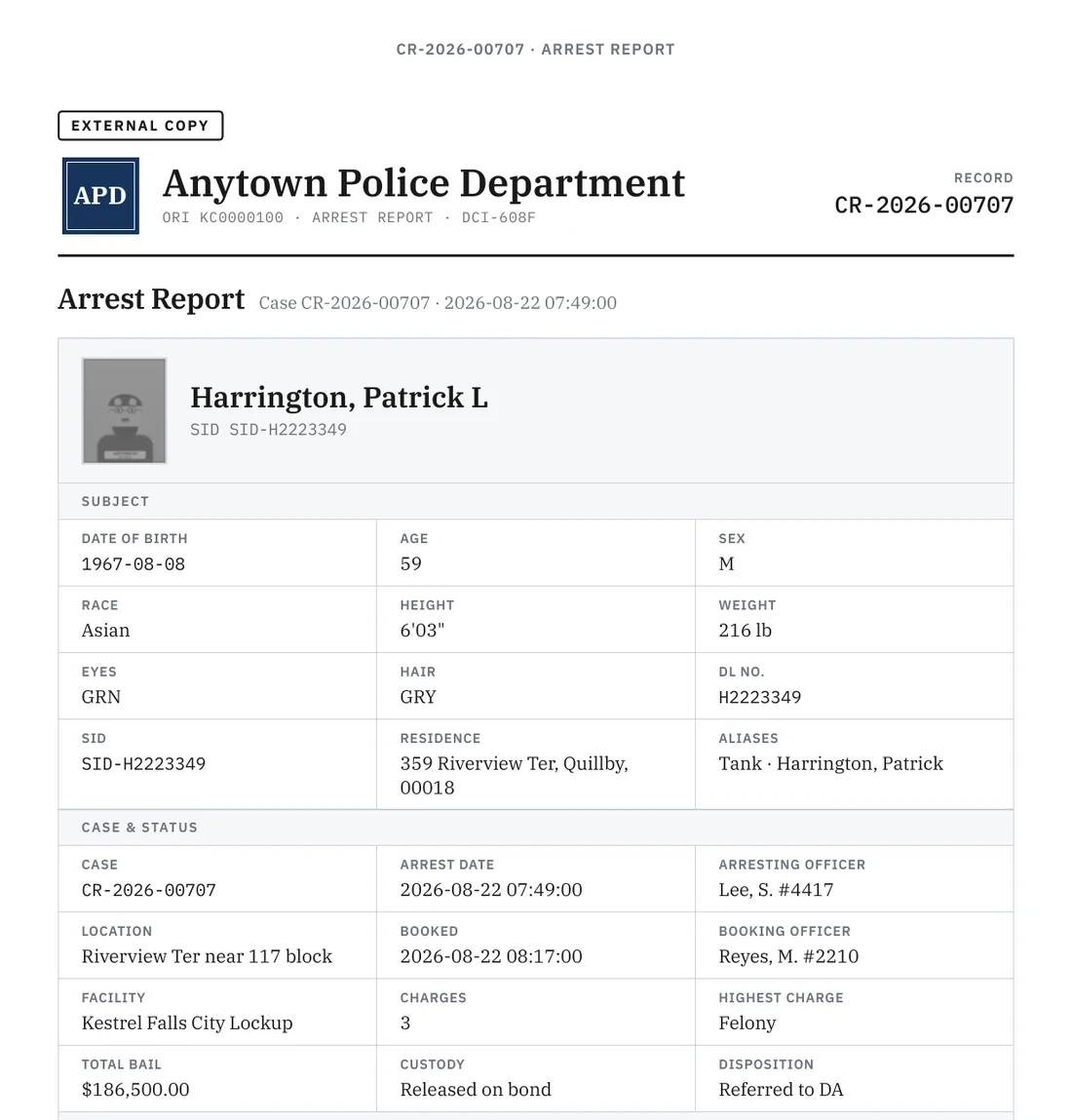
Combine labeled values, repeating rows and longer accounts in a layout that fits the record.
Start with supported report types and layouts. Map your source data and address customer-specific reports during implementation.
Keep the relevant people, reports and items together. Access follows the permissions configured for the implementation.
02 / Design the report
Arrange fields, tables and other elements in the visual report designer. Preview a record in the layout, so the review includes what staff will actually read.
Draft changes sit alongside the live report state. Review the affected records before publishing through the release workflow.
This example is laid out for a wider screen.
03 / Export the case
Prepare the case material the recipient needs.
Select the reports under the case, include available attachments, and choose an internal or external copy. The choice is stamped on the PDF.
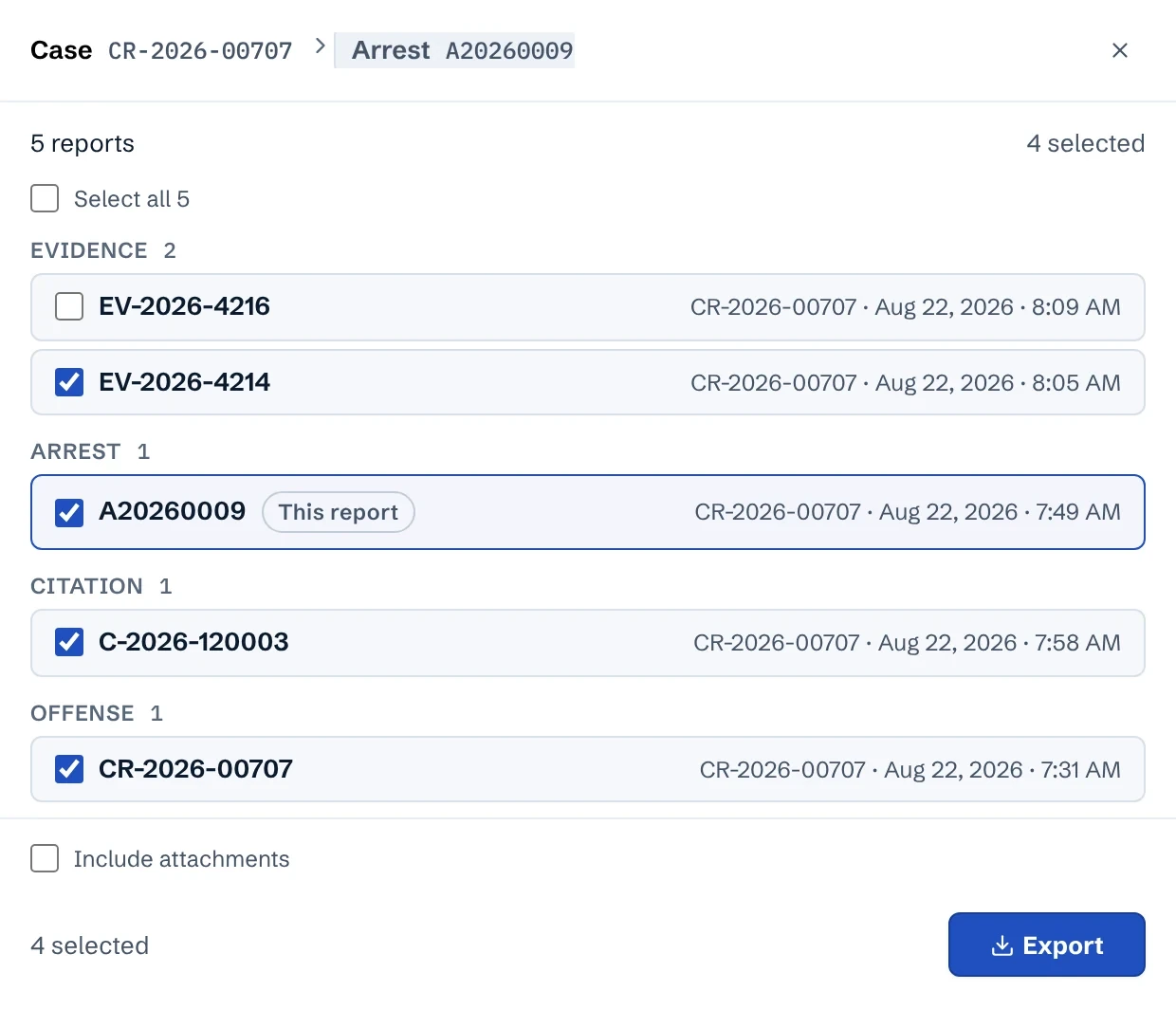
Photos, scans and documents can come from file shares or database BLOB columns, and they stay with the records they explain. A case export can add them to its PDF as an appendix. The assessment covers file locations, formats and access.
See the workflow
Try the walkthrough with fictional records, or bring your report requirements to a demo.